Rol de equipo
In our chatbot platform, a team role defines the specific duties assigned to each team involved in managing different tasks. A team can comprise multiple members. The process of adding team members is outlined in the Team section of our platform. To assign tasks to team members, you first need to establish a team role and then assign permissions for the tasks you want the team members to handle.
Here’s how to create a Team Role:
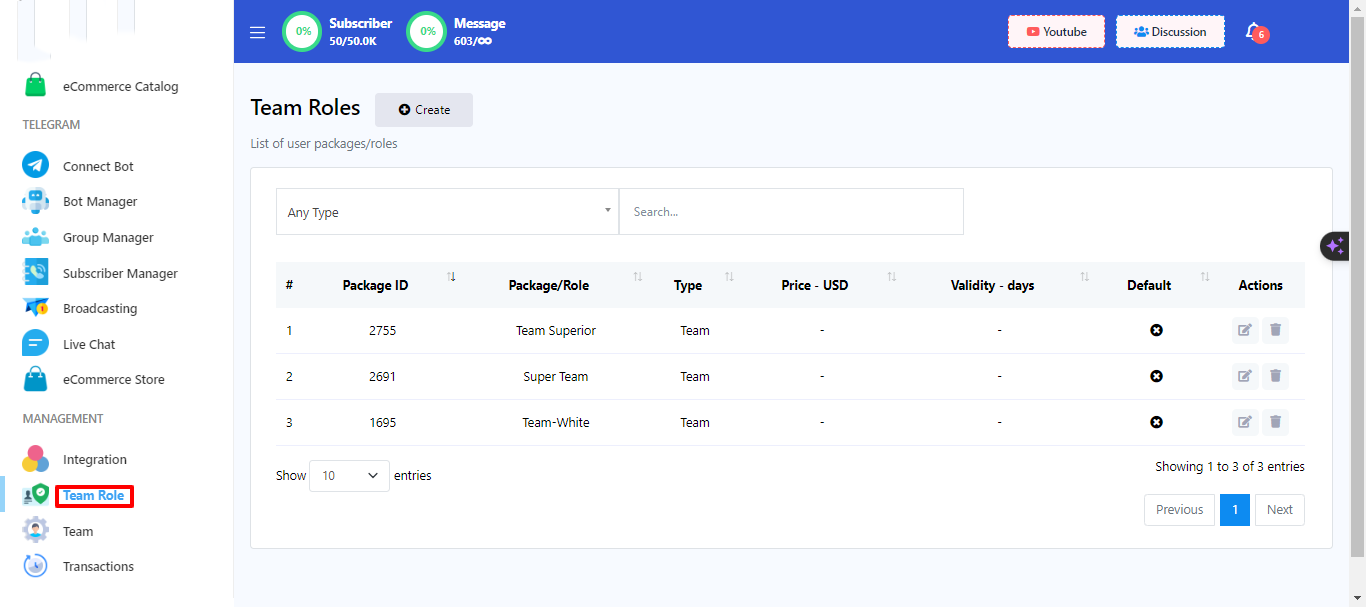
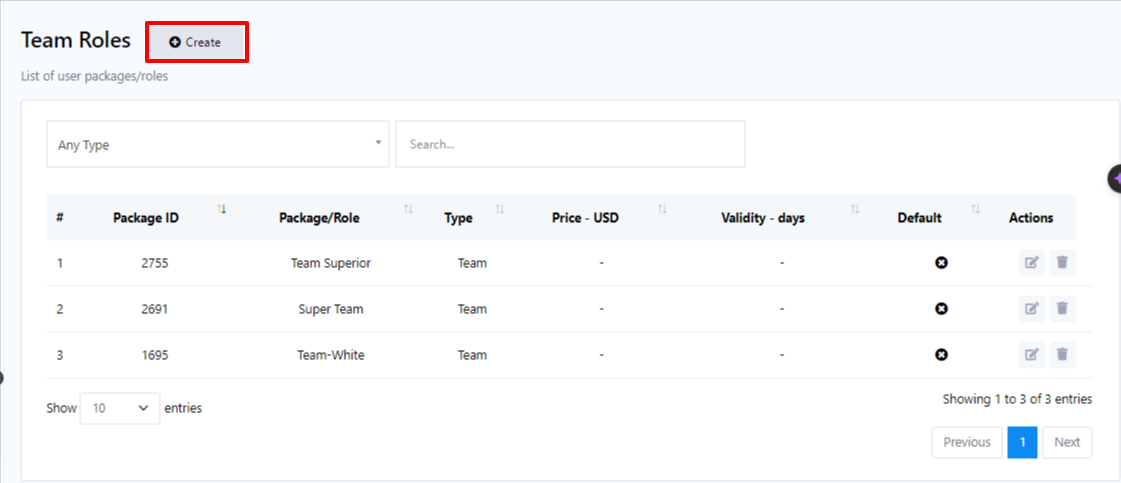
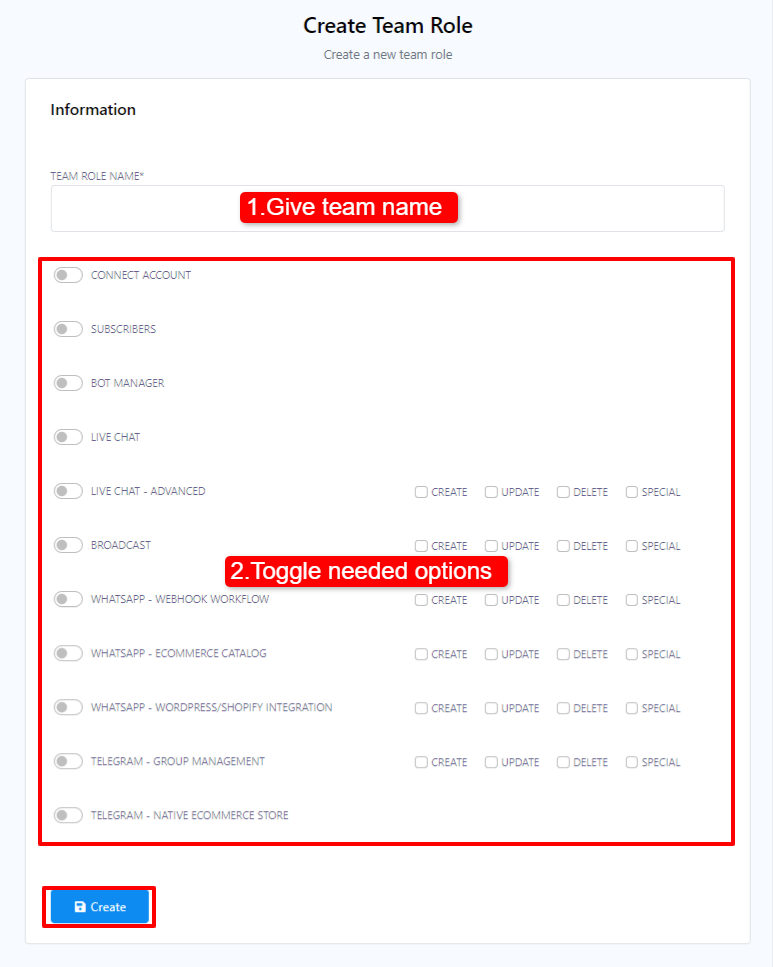
- Begin by accessing your Dashboard, and then scroll down to the `Management` section.
- Locate and click on the `Team Role` option.
- Within the Team Role menu, click on the `Create` button.
- Give a team name.
- Toggle on the permissions that you want to give your team.
- Click on Create.
Una vez que haya creado un rol de equipo, puede asignarle miembros del equipo. Por ejemplo, si desea que un equipo se encargue de la funcionalidad de chat en vivo, puede crear un rol de equipo para el chat en vivo y, a continuación, crear miembros del equipo y asignarlos a ese rol específico. También puede asignar miembros del equipo a varios roles si es necesario.